


Based on the information from the first couple of days of the Quest RECONNECT Virtual Deep-Dive conference, PeopleTools 8.62 is shaping up to be one of the most user-friendly releases in recent memory. While much attention goes to infrastructure and containerization updates, this release quietly introduces two features that can dramatically improve how users interact with PeopleSoft every day: Smart Prompts, Smart Drop-Downs, and My Favorite Searches.
These updates may sound small, but when you put them together, they make PeopleSoft feel faster, more personal, and more intelligent.
Smart Prompts and Smart Drop-Downs: PeopleSoft That Learns How You Work
Let’s be honest, data entry in enterprise systems can get repetitive fast. Whether you’re selecting departments, job codes, or campus IDs, you probably type or click the same few values repeatedly. PeopleTools 8.62 solves this with Smart Prompts and Smart Drop-Downs, a system-wide enhancement that remembers and prioritizes your most-used and most-recent selections.
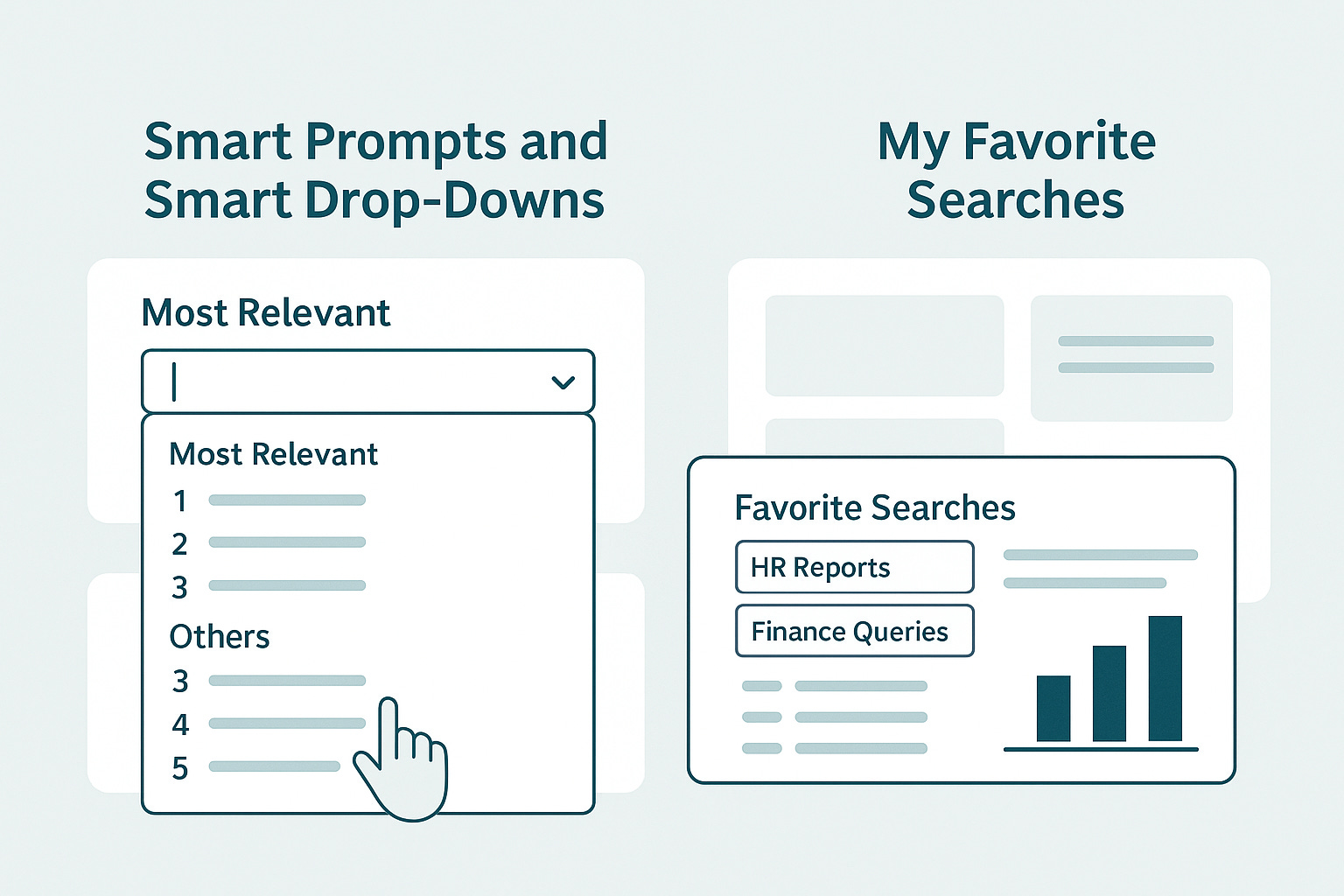
When you click into a prompt or drop-down field, PeopleSoft now displays two sections: Most Relevant and Others. The “Most Relevant” section shows the values you use most often, so you don’t have to scroll or search every time. Over time, the system adapts to your behavior, essentially learning your preferences.
The best part is flexibility. Administrators can turn Smart Prompts on or off globally, users can toggle them for personal use, and developers can control them at the field level in Application Designer. It’s a smart balance between automation and control that brings PeopleSoft one step closer to a modern, adaptive user experience.
My Favorite Searches: Personalized Efficiency for Power Users
If you’re someone who lives inside Component Search, My Favorite Searches will quickly become your new best friend. This feature introduces a centralized hub for organizing, grouping, and managing all your saved searches.
Instead of scrolling through a long list or recreating filters from memory, you can now create named groups (think HR Reports, Finance Queries, or Student Records) and store searches under each. You can rename, reorder, or delete searches and groups from one intuitive page, all accessible directly from the Favorites icon in the page banner.
This feature is compelling for teams that share processes across multiple components. By grouping and maintaining search presets, users can standardize their workflows while still tailoring their experience to fit their role.
Why It Matters
Both of these enhancements, Smart Prompts and My Favorite Searches, reflect Oracle’s growing focus on user productivity and on maintaining a consistent experience across PeopleSoft. These aren’t just cosmetic changes; they directly reduce clicks, streamline navigation, and personalize the interface for the individual user.
For organizations, the impact is real: faster transactions, fewer errors, and happier users who spend less time navigating and more time doing meaningful work.
PeopleTools 8.62 is more than just a technical upgrade. It’s a usability upgrade. These small but meaningful improvements show how PeopleSoft continues to evolve to meet modern user expectations without sacrificing the stability and power it’s known for.