


Ask where the PUM lab lives and you will get a laptop name.
Ask which Update Image is on it, when it last refreshed, and whether VirtualBox is even patched, and you will get a pause. Then someone remembers the DPK that failed at step 14 last cycle, so they kept the old VM.
That pause stopped being a lab inconvenience on April 8. Dan Iverson, PeopleTools Strategy Director, wrote that Oracle “will be ending support for the VirtualBox DPK in the near future.” On July 27 he shipped the replacement: FSCM Update Image 57 on containers, and the VirtualBox DPK delivery model “planned to be retired in a future release.”
No date. The successor is already on MOS.
The August CSPU also listed Oracle VM VirtualBox 7.2.14. Tenable’s plugin (338745) calls out CVE-2026-71131 at CVSS 8.6 — unauthenticated local, user interaction, scope change, takeover of the hypervisor your PUM still runs on.
🔗 Coming Soon – PeopleSoft Update Images on Containers (Oracle) https://blogs.oracle.com/peoplesoft/peoplesoft-images-on-containers
🔗 Getting Started with Update Image Containers (Oracle) https://blogs.oracle.com/peoplesoft/getting-started-with-update-image-containers
🔗 Oracle VM VirtualBox (August 2026 CSPU) (Tenable) https://www.tenable.com/plugins/nessus/338745
Patching VirtualBox closes those CVEs. It does not close the format. Here are five ways to leave the hypervisor before Oracle picks the date for you.
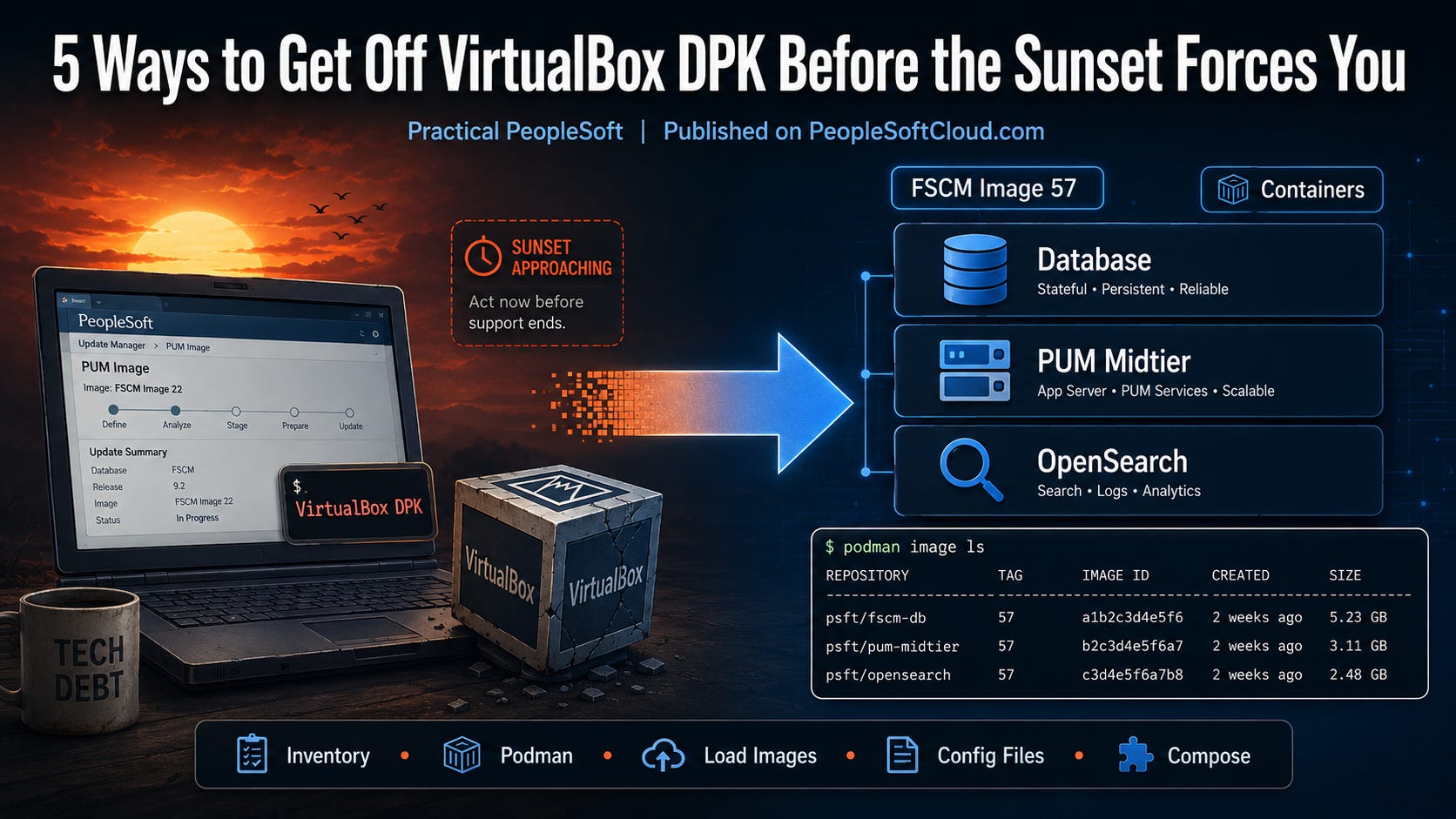
1. Inventory every VirtualBox PUM this week, in writing
Not “we have a PUM.” The list: hostname, OS, VirtualBox version, which Update Image, last successful refresh, who owns the machine, and whether RDP is enabled on it (CVE-2026-71130 is the RDP one).
On the lab host:
VBoxManage list vms
VBoxManage list runningvms
VBoxManage --version
Export that to a dated file. Add the MOS patch number you actually downloaded last cycle. If two people say “the PUM” and they mean two different VMs, that is the finding.
You cannot retire what you have not named. The sunset language is “near future” and “a future release.” An inventory is the only artifact that turns that into a project.
2. Install Podman and prove it with podman image ls
Oracle’s path is Podman on Linux, Podman Desktop on Windows. Not Docker. The Getting Started post is the checklist; the Container Installation guide it points at lives with the image.
Install it on the same class of machine you use for PUM today — a workstation, not a fantasy OCI tenancy. Then:
podman image ls
Empty is fine. A command that returns without an argument about PATH is the proof. If Windows, confirm podman compose (no hyphen). If Linux, confirm podman-compose. Mixing those two is how the first afternoon dies.
My read: Podman fluency is the actual work. Image 57 is the excuse to get it. HCM and Campus containers are not out yet; the binary still is.
3. Download FSCM Image 57 containers from MOS and load the three images
Patch number: PeopleSoft Update Manager Homepage, MOS Doc ID KA615. The zip names look like FSCM-920-UPD-057-CNT_*of*.zip. Unzip only the first file, then combine the rest per Instructions.txt.
Windows:
cmd /c copy /b FSCM-920-UPD-057-CNT_*of*.zip ep92u057.zip
Linux:
cat $(ls FSCM-920-UPD-057-CNT_*of*.zip | sort -V) > ep92u057.zip
Do not include 1ofX.zip in the combine. Oracle called that out because it is the failure mode. Extract to a directory named ep92u057. Setup notes are in docs/pum/README.md. Then load:
podman load -i ./image/latest-19-ps.tgz
podman load -i ./image/ep92u057.tgz
podman load -i ./image/862.2.11.tgz
podman image ls
You want three rows: oracle/database/enterprise_ru:latest-19-ps, oracle/peoplesoft/fscm/pum/midtier:ep92u057, oracle/peopletools/osk:862.2.11. If podman image ls does not show all three, stop. Do not compose yet.
FSCM-only this cycle. HCM and Campus stay on NativeOS/VirtualBox until their container images ship. Do not pretend Image 57 is a universal PUM.
4. Treat the four config files as the runbook, not prompts you click through
This is the part VirtualBox DPK trained you to skip. Container PUM configuration is four files:
compose.yaml—ORACLE_PWDunder the database service. On Windows, uncommentcontainer=windowsin the midtier section.in/pum/install.rsp—install_type=PUM,app_type=fscm, passwords,db_name=EP92U057,db_host=database.in/pum/psft_customizations.yaml— FQDN.hostname -fon Linux,$env:COMPUTERNAMEon Windows. If you do not have an FQDN, Iverson says usemidtier.oraclevcn.comand add it tohosts.in/osk/install-osk.rsp— OpenSearch, Dashboards, Logstash, plus the Integration Broker REST URLs (PSFT_EPfor Finance).
Put those four files in version control (redact passwords) after the first successful run. Next image, you copy them. That is the labor VirtualBox never gave back: a repeatable PUM, not a remembered click path.
SELinux enforcing will break volume mounts. Iverson’s appendix: change :ro to :Z on the binds.
5. Run one compose in a sandbox this week — then put October on the same list
From ep92u057:
podman-compose up -d # Linux
podman compose up -d # Windows
Second terminal: podman-compose logs -f or podman logs -f midtier. Oracle’s sample Windows timing: database healthy at ~435s, midtier healthy at ~788s. Yours will differ. Write the number down. That number is what you take to CAB when someone says “we don’t have time to switch.”
If you are not an FSCM shop, still do steps 1–2 this week. NativeOS DPK remains valid until your product line ships containers. Do not wait for HCM Image N to start installing Podman.
And put the other DPK change on the same dated file. August 26: Infrastructure DPK is replaced by Middleware DPK. Oracle does not plan to post an Infrastructure DPK in October. 8.61/8.62 need the patch that adds --apply_mw_cpu. 8.63 can run Middleware DPK Builder now.
🔗 The Middleware DPK is Replacing Infrastructure DPK (Oracle) https://blogs.oracle.com/peoplesoft/the-middleware-dpk-is-replacing-infrastructure-dpk
Two format changes. One October CPU. Learning both during the 20 October window is the failure mode.
Do this once, then make it an artifact
Five artifacts, not five opinions: the VirtualBox inventory, a podman image ls screenshot, the loaded Image 57 trio, the four config files in git, and one compose log with a wall-clock time.
Re-run the inventory next PUM cycle and diff it. The diff is the migration. “We’re moving to containers” is not.
Monday’s Digest covered why this landed now: Iverson ended VirtualBox DPK support “in the near future,” Image 57 is already the FSCM path, the August CSPU put VirtualBox 7.2.14 in the patch list, and Middleware DPK replaces Infrastructure DPK in October.
Next Thursday: 5 questions to ask before you trust an AI feature with ERP data.
🌐 Join the Community
Subscribe to PeopleSoft Cloud — practitioner posts every Thursday, the Modern ERP Digest every Monday.
✅ Concrete actions you can run this week, not advice ✅ Sources cited, costs stated honestly ✅ Free, always