


Ask a PeopleSoft team who has PeopleTools Security access and you’ll usually get a name and a shrug: three or four people, maybe five.
Then run the query. It’s eleven, two of them left in 2023, and one is a service account somebody cloned from PS because it was easier than building a permission list.
That gap stopped being an audit-season embarrassment on August 18. CVE-2026-60879 (CVSS 8.8, PeopleTools 8.61-8.63, Configuration Manager) lets a low-privileged authenticated user take over PeopleTools over SQL. Not an admin. Any account that got a role it never needed.
🔗 CVE-2026-60879 (Tenable) https://www.tenable.com/cve/CVE-2026-60879
Patching closes that one instance. Least privilege closes the class — and it’s the only compensating control you have for the next one. Here are five ways to replace the shrug with evidence.
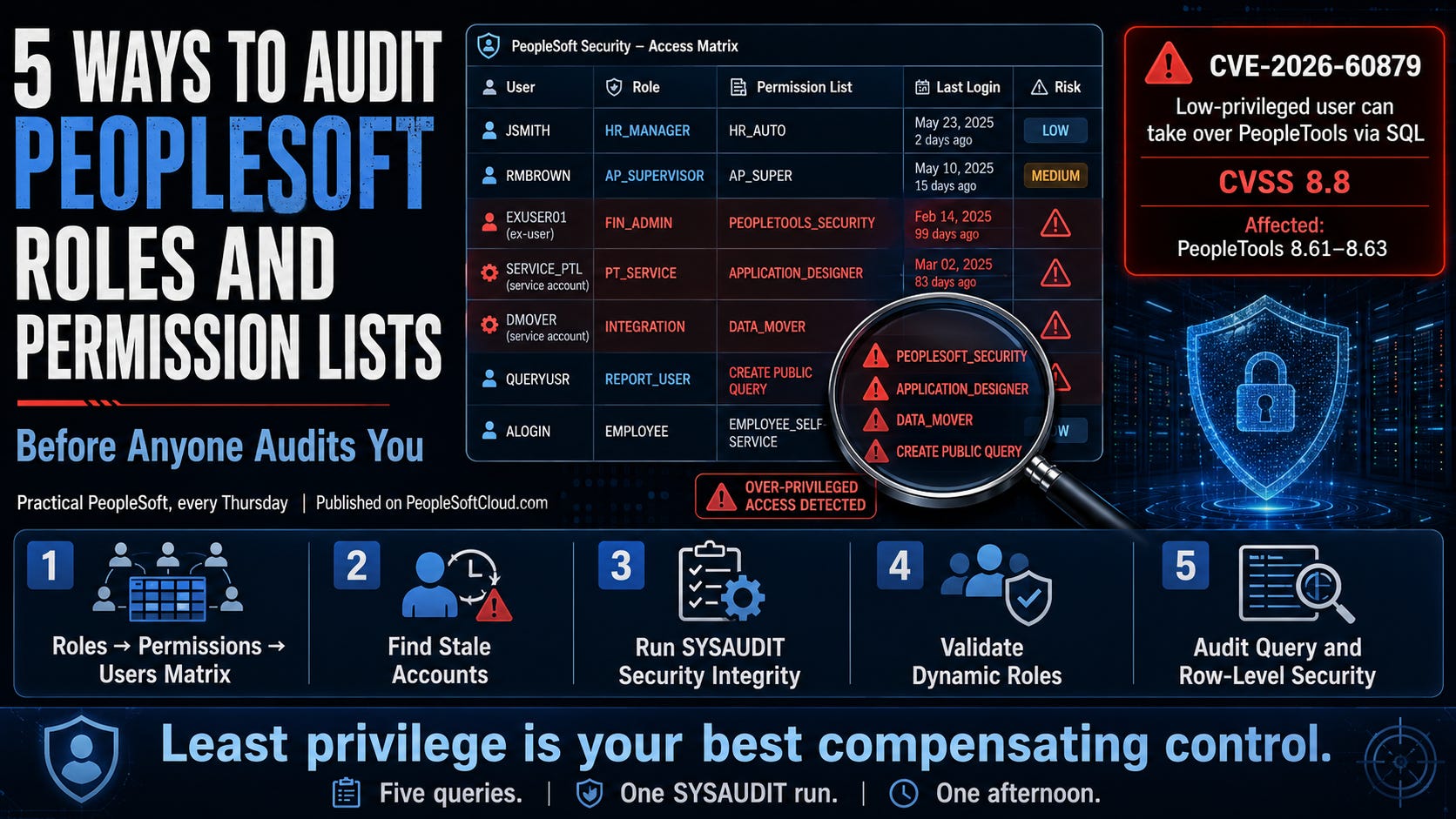
1. Produce the roles-to-permissions-to-users matrix, in writing
Not a screenshot of one user profile. The whole join: PSOPRDEFN → PSROLEUSER → PSROLECLASS → PSCLASSDEFN. That’s the standard security audit query every consultant builds on day one, and you can build it yourself in an afternoon.
🔗 Advanced PeopleSoft Security Audit (SpearMC) https://spearmc.com/wp-content/uploads/SpearMC_Advanced_PeopleSoft_Security_Audit.pdf
Export it to CSV, then filter for every permission list granting PeopleTools Security, Application Designer, Data Mover, or Query create-public. That short list is your real administrator population — and the population an attacker only needs one of.
2. Find the stale accounts before they find you
Users who haven’t signed on in a year are pure liability: nobody notices their password, nobody notices their session.
SELECT * FROM SYSADM.PSPTLOGINAUDIT;
Reconcile that against PSOPRDEFN and against HR’s termination list — the second reconciliation finds the ex-contractors. And handle the delivered accounts explicitly: PS, VP1 and the rest of the install-time superusers should be disabled or rekeyed, and documented.
🔗 PeopleSoft User Security (Integrigy) http://www.integrigy.com/security-resources/peoplesoft-user-security
Disable before you delete, test in non-production first, and expect to break exactly one batch job you didn’t know existed. That’s the cost, and it’s cheaper than the alternative.
3. Run SYSAUDIT’s security integrity checks and read the output
SYSAUDIT’s Audit Security Integrity section checks the AUTH* and OPRDF* structures for orphaned and inconsistent security rows — permission lists pointing at objects that no longer exist, profiles referencing roles that were deleted around them.
🔗 Running SYSAUDIT (Oracle PeopleTools documentation) https://docs.oracle.com/cd/G23954_01/pt862pbr1/eng/pt/tadm/RunningSYSAUDIT-077a77.html
Most sites run SYSAUDIT before an upgrade and never again. Run it now, keep the report, and track the exception count over time. A number that goes down is evidence; “security is clean” is not.
4. Prove your dynamic role rules still do what they were written to do
Dynamic roles assign access programmatically through a query, PeopleCode or LDAP rule, then a batch process applies it. Two failure modes are common and neither announces itself: the process quietly stops being scheduled, so leavers keep access forever — or the rule is broader than anybody remembers.
🔗 Defining Role Options (Oracle PeopleTools documentation) https://docs.oracle.com/cd/G10809_01/pt861pbr4/eng/pt/tsec/DefiningRoleOptions-c076a7.html
For each dynamic role: open the rule, run the underlying query yourself, count the rows, then check the last successful run of the role-assignment process in Process Monitor. If that run was during a project that ended two years ago, your access model has been frozen since then. (Queries with bind variables will not work as role rules — the system errors, and someone may have “fixed” that by making the rule static.)
5. Audit query and row-level security separately from page access
Page security is the part everyone checks. Query security is where the data actually leaves.
Check the permission-list query profile flags — QRY_RUN_ONLY, QRY_CREATE_PUBLIC, QRY_MAX_FETCH — and the access groups attached through SCRTY_ACC_GRP. Query access is inherited only through roles, while row security comes from the primary and row security permission lists assigned directly to the profile. A user with modest page access and generous query access can still read the entire employee table.
🔗 Defining Permissions (Oracle PeopleTools documentation) https://docs.oracle.com/cd/G41075_01/pt862pbr3/eng/pt/tsec/DefiningPermissions-c07686.html
The Permission List Audit tab tells you when each list was last changed and by whom. If a list critical to segregation of duties was last touched by someone who no longer works there, that’s a finding, not trivia.
Do this once, then make it an artifact
Five queries, one SYSAUDIT run, one afternoon. What you produce is not “we reviewed security” — it’s a dated file: every account with administrative capability, every stale profile, every dynamic rule and when it last ran, every open query profile, and a name against each exception.
Re-run it quarterly, and diff it. The diff is the audit. It takes twenty minutes once the queries exist, and it is the only thing that will answer the question you’ll get after the next PeopleTools CVE lands: not “did we patch?” but “who could have used it?”
Monday’s Digest covered why that question keeps arriving faster — Oracle’s August CSPU carried 925 CVEs across 23 product families, with three PeopleTools issues in 8.61-8.63.
Next Thursday: 5 ways to get off VirtualBox DPK before the sunset forces you.
🌐 Join the Community
Subscribe to PeopleSoft Cloud — practitioner posts every Thursday, the Modern ERP Digest every Monday.
✅ Concrete actions you can run this week, not advice ✅ Sources cited, costs stated honestly ✅ Free, always